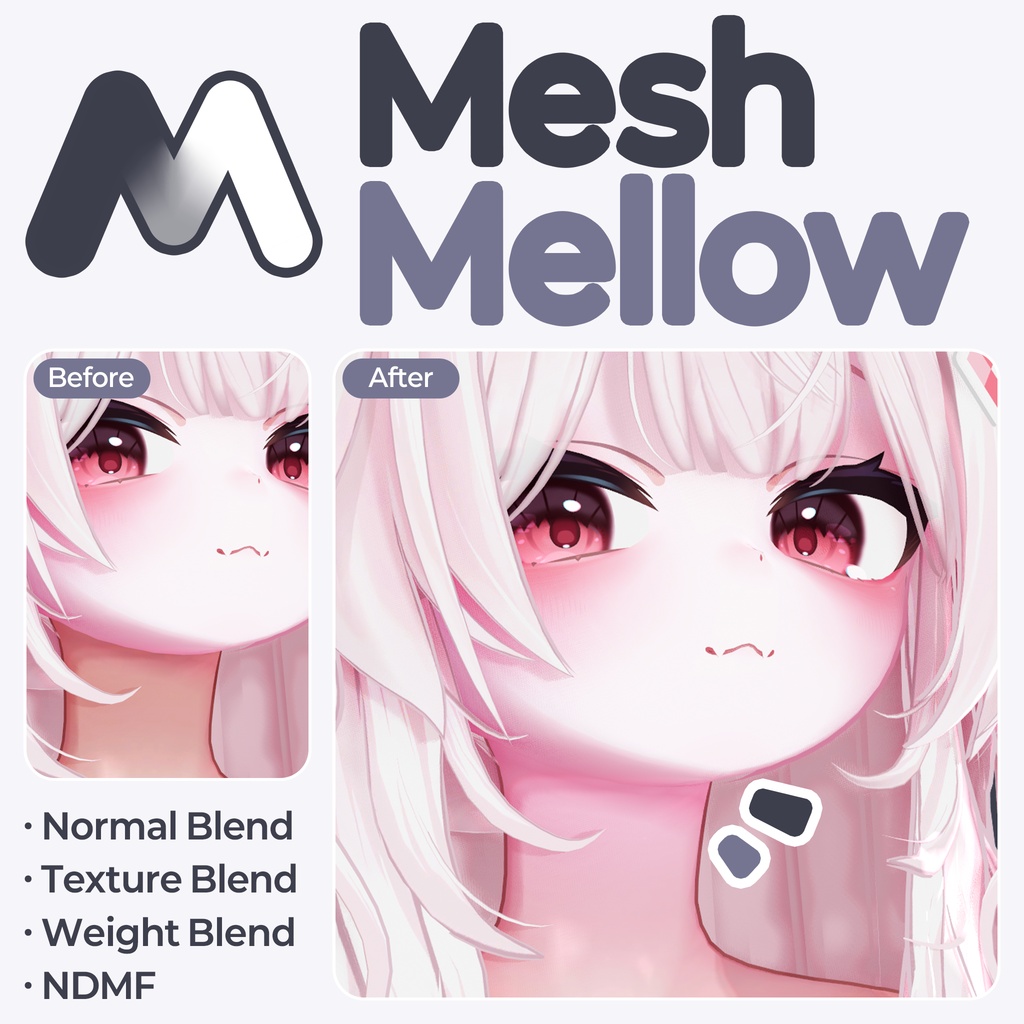
【MA】 Mesh Mellow
- ダウンロード商品¥ 600
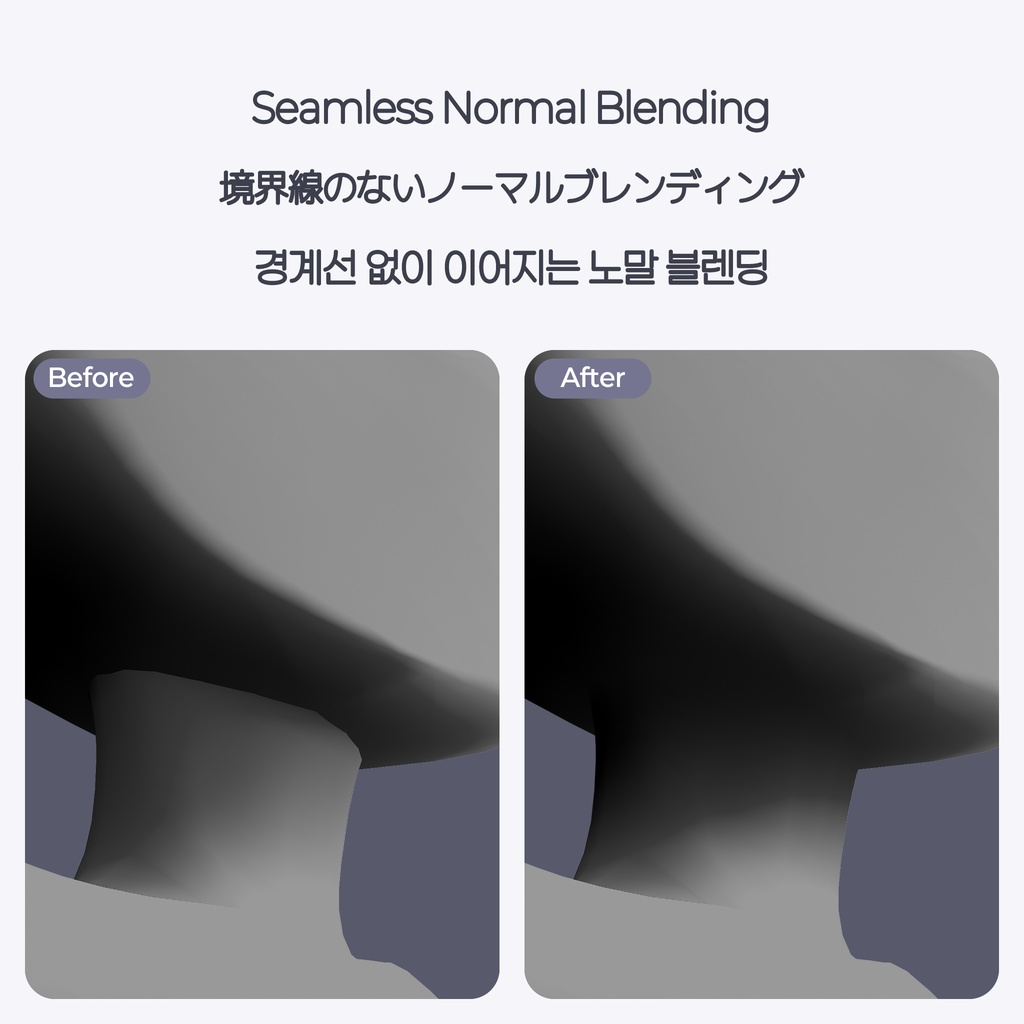
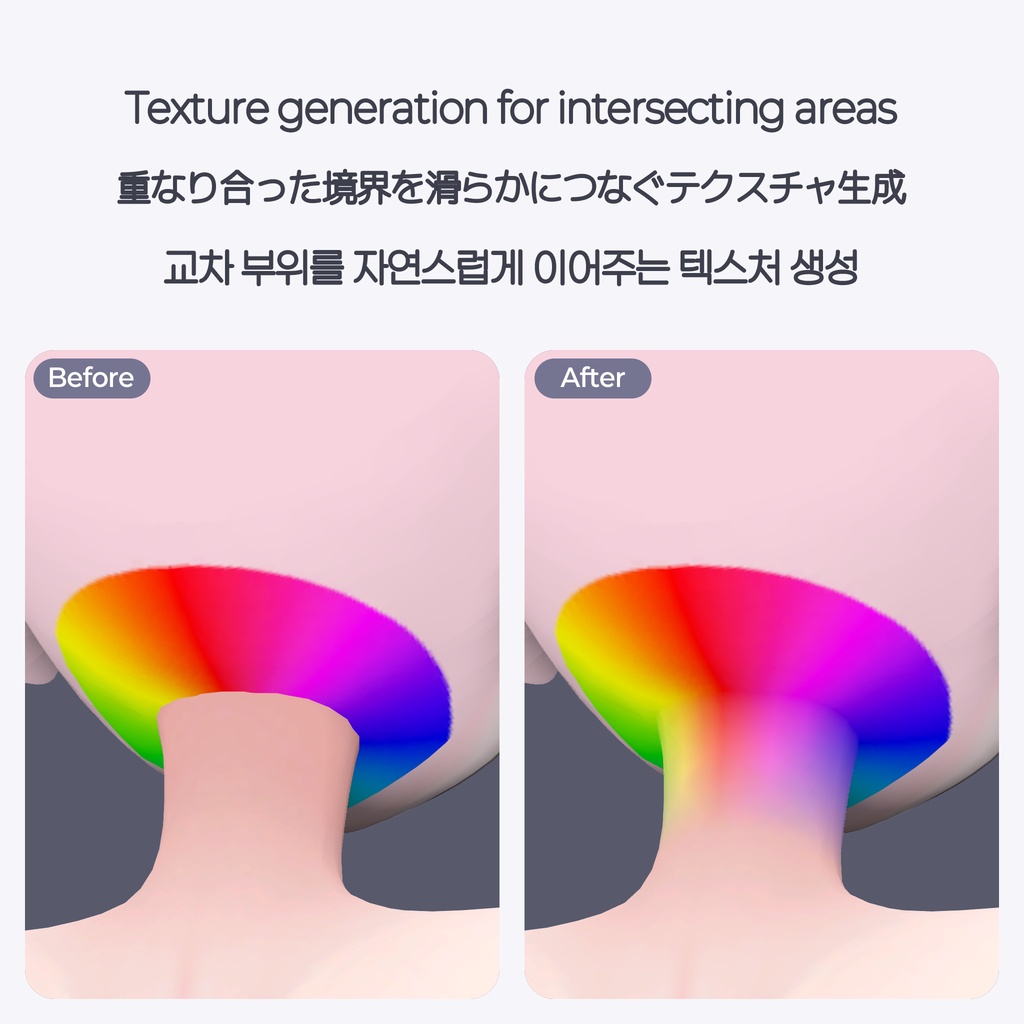
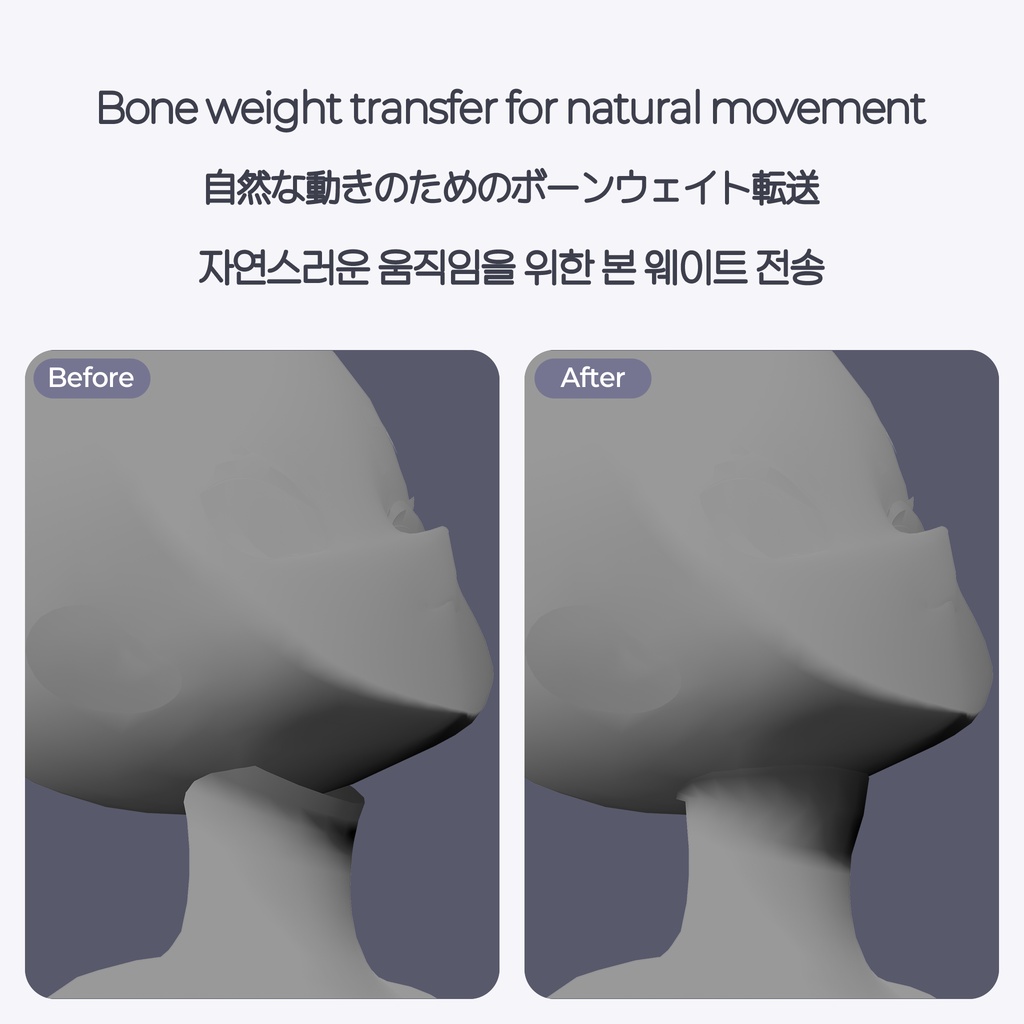
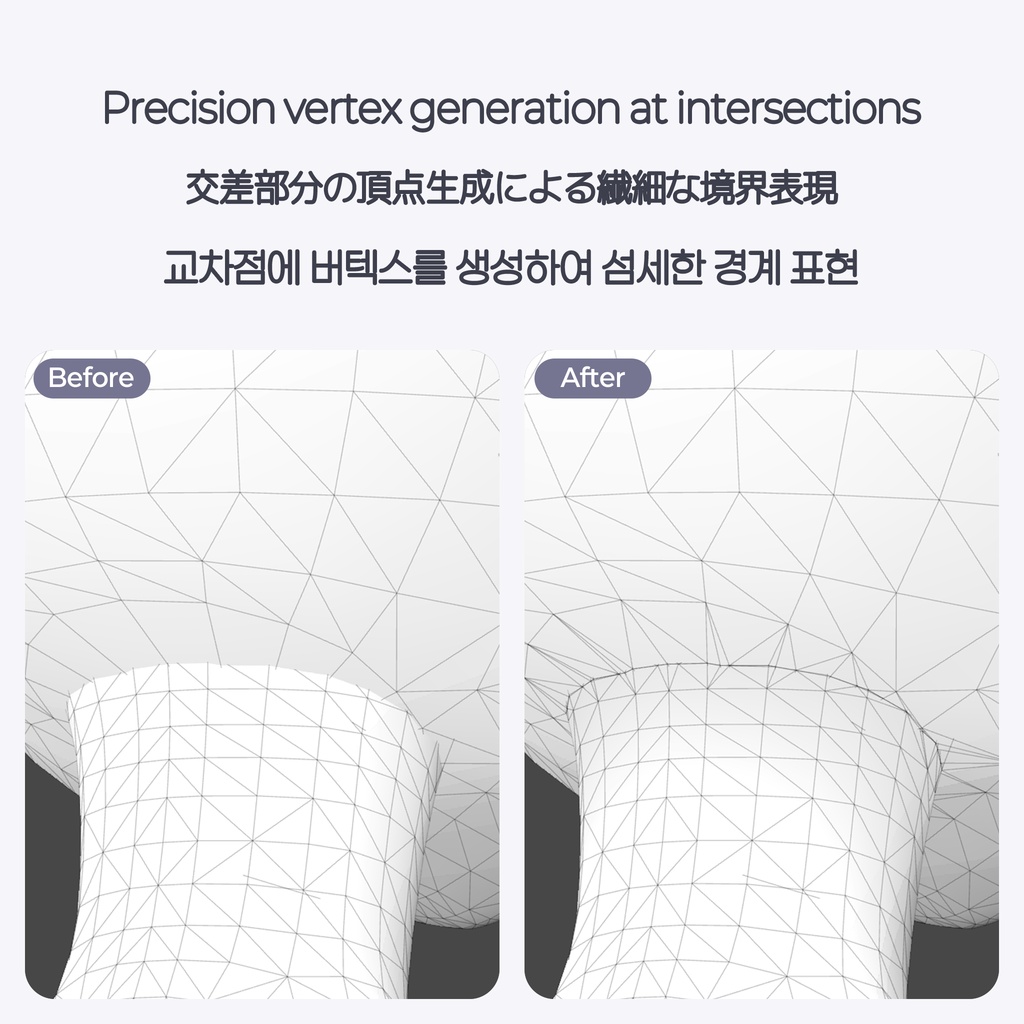
MeshMellow는 메시와 메시가 만나는 부분을 부드럽게 해주는 도구입니다. 서로 다른 바디와 헤드를 사용할 때 목 부분, 헤어에 동물 귀를 달았는데 어색할 때, 이외에도 여러 상황에 사용할 수 있습니다. 비파괴 방식으로 적용되며 직접 생성 및 교체할 수도 있습니다. - 노말 연결 - 텍스처 연결 - 마스크 생성 - 웨이트 전송 - 교차 지점 버텍스 생성 MeshMellowは、メッシュとメッシュが接する境界部分を滑らかになじませるツールです。 - 異なるボディとヘッドを組み合わる際の首の境目処理 - 髪の毛にケモ耳を装着した際の不自然さの軽減 - その他、様々なシーンでご活用いただけます。 非破壊方式で適用され、直接生成・差し替えを行うことも可能です。 - ノーマル接続(法線結合) - テクスチャ接続(カラー合成) - マスク生成 - ウェイト転送 - 交差地点の頂点生成 MeshMellow is a tool that smoothly blends the boundary where two meshes meet. - Seamless neck transitions when combining different body and head meshes. - Natural blending when adding animal ears to hair. - Suitable for various other mesh blending scenarios. It works non-destructively, with options to generate or replace meshes directly. - Normal Blending - Texture Blending - Mask Generation - Weight Transfer - Intersection Vertex Generation
# How to use · 導入方法 · 사용법
1. MeshMellow unitypackage를 임포트합니다. 2. 아바타 안에 빈 오브젝트를 만들고 Add Component에서 NyaPPu → MeshMellow를 추가합니다. 3. 메인 렌더러에는 기준 메시를, 아래 렌더러 목록에는 수정할 메시를 넣습니다. 4. 필요한 기능을 켜고 거리와 강도를 조절한 뒤 미리보기를 누릅니다. 5. 수치를 바꾸게 되면 미리보기 갱신을 눌러 새로 적용해 확인합니다. 6. 결과가 마음에 들면 컴포넌트를 켜둔 상태로 아바타를 업로드합니다. 1. MeshMellow unitypackage をインポートします。 2. アバター内に空の GameObject を作成し、Add Component から NyaPPu → MeshMellow を追加します。 3. Main Renderer(メインレンダラー)に基準となるメッシュを、下の Renderer List(レンダラーリスト)に修正したいメッシュを割り当てます。 4. 必要な機能を有効にし、距離(Distance)や強度(Strength)を調整した後、「Preview(プレビュー)」を押します。 5. 数値を変更した場合は、「Refresh Preview(プレビュー更新)」を押して再適用・確認してください。 6. 結果に問題がなければ、コンポーネントを有効にしたままアバターをアップロードします。 1. Import the MeshMellow unitypackage into your project. 2. Create an empty GameObject under your avatar, then add the component via Add Component -> NyaPPu -> MeshMellow. 3. Assign the reference mesh to "Main Renderer" and the mesh you wish to modify to the "Renderer List" below. 4. Enable the desired features, adjust the Distance and Strength settings, then click "Preview". 5. Whenever you tweak the values, click "Refresh Preview" to see the updated changes. 6. Once satisfied with the result, keep the component enabled and upload your avatar.
# Precautions · 注意事項 · 주의사항
- 환경 : Unity 2022.3.22f1 / VRChat 아바타 프로젝트 / NDMF, Modular Avatar 필요 - 두 메시를 하나로 합치거나 틈을 메우는 기능이 아닙니다. - 메시 구조, UV, 텍스처와 셰이더 설정에 따라 결과가 달라집니다. 경계가 완전히 사라지는 것을 보장하지는 않습니다. - 텍스처 색상 연결은 메인 텍스처를 기준으로 합니다. 노말맵이나 셰이더의 다른 색상 효과까지 복사하지는 않습니다. - 업데이트 시에는 기존에 임포트한 파일을 모두 삭제하고나서 새로운 버전을 임포트해주세요. ※ 사용 중 문제가 생기면 BOOTH 메시지나 디스코드 메시지로 문의해주세요. 문제가 보이는 화면과 사용 환경을 함께 보내주시면 확인에 도움이 됩니다. - 動作環境:Unity 2022.3.22f1 / VRChat アバタープロジェクト / NDMF、Modular Avatar が必須です。 - 2つのメッシュを1つに結合したり、隙間を埋めたりする機能ではありません。 - メッシュ構造、UV、テクスチャ、シェーダーの設定によって結果が異なります。境界線が完全に消えることを保証するものではありません。 - テクスチャカラーの接続はメインテクスチャを基準に行われます。ノーマルマップやシェーダーによるその他の色彩効果はコピーされません。 - アップデートの際は、既存のインポート済みファイルをすべて削除してから新しいバージョンをインポートしてください。 ※ 使用中に問題が発生した場合は、BOOTHのメッセージまたはDiscordのメッセージにてお問い合わせください。 不具合が確認できる画面のスクリーンショットと使用環境を添えてご連絡いただけますと、スムーズに対応できます。 - Requirements: Unity 2022.3.22f1 / VRChat Avatar Project / NDMF, Modular Avatar required. - This tool does NOT combine two meshes into a single mesh or fill physical gaps/holes between them. - Results may vary depending on mesh structure, UV mapping, texture settings, and shader configurations. Complete elimination of visible seams is not guaranteed. - Texture blending relies strictly on the main texture. It does not copy normal maps or other shader-based color effects. - When updating, please completely delete the previously imported folder/files before importing the new version. ※ If you encounter any issues during use, please contact us via BOOTH message or Discord message. Providing a screenshot of the issue along with details of your setup environment will help us resolve it quickly.
# Terms of Use · 利用規約 · 이용약관
- 1인 1구매 원칙: 상업적 이용 및 팀 작업/외주 시 접근하는 모든 인원이 개별 구매해야 합니다. - 무단 공유 금지: 재배포, 양도, 퍼블릭 업로드는 금지되며, 에셋 수정은 문의 부탁드립니다. - 생성물 라이선스: 본 도구로 만든 결과물의 사용권은 사용된 원본 에셋의 약관을 따릅니다. (예: 원본 에셋이 '수정 후 재배포'나 '팀 내 원본 공유'를 허용한다면, 본 도구를 제외한 생성물은 똑같이 허용됩니다.) - 주의사항, 이용약관 등 언어 별 혼란이 있을 경우 한국어가 우선됩니다. - 1人1購入の原則:商用利用、プロジェクト共有、作業委託(外注)など、本アセットにアクセスするすべてのユーザー(作業者/利用者)が個別にライセンスを購入する必要があります。 - 無断共有の禁止:いかなる形態であれ、再配布、譲渡、共有、パブリックアップロードは禁止します。(改変を希望される場合はお問い合わせください。) - 生成物のライセンス:本ツールで作成された結果物(メッシュ/テクスチャ)の使用権は、使用された原典アセットの利用規約に準拠します。(例:原典アセットが「改変後の再配布」や「両者が原典を保有している場合の共有」を許可している場合、本ツール本体を除く生成物にも同様に適用されます。) - 各言語の利用規約や注意事項において解釈の違いや混乱が生じた場合、韓国語版の内容が優先されます。 - One License Per User: All individuals accessing this asset for commercial use, team projects, or outsourced work must purchase an individual license. - Unauthorized Sharing Prohibited: Redistribution, transfer, sharing, and public uploading in any form are strictly prohibited. For asset modification inquiries, please contact us. - Generated Asset Licensing: The usage rights for outputs (meshes/textures) created using this tool follow the Terms of Use of the original assets involved. (e.g., If the original asset permits "redistribution after modification" or "shared use within a team holding original copies," generated outputs excluding this tool itself are permitted under the same terms.) - In case of any ambiguity or conflicts arising from translations, the Korean version shall prevail.
# Tool Changelog · 道具変更履歴 · 툴 변경내역
2026.10.01 v1.0.0 - 출시 2026.10.01 v1.0.1 - 기능 상 차이는 없습니다. - 설정 도우미 추가 - 헷갈릴 수 있는 용어 정리 - UI 수정 2026.10.03 v1.0.2 - 우클릭 메뉴 NyaPPu - MeshMellow Setup 추가 - NDMF 1.13.0 이전 버전에서도 사용할 수 있도록 수정 2026.10.03 v1.0.3 - 선택 영역, 마테리얼 별로 텍스처가 올바르게 생성되도록 수정 - 불필요한 경고 제거 - 미리보기가 "계산 중"에서 멈추는 문제 수정 - 생성 결과가 없을 때도 컴포넌트가 비활성화되는 문제 수정